

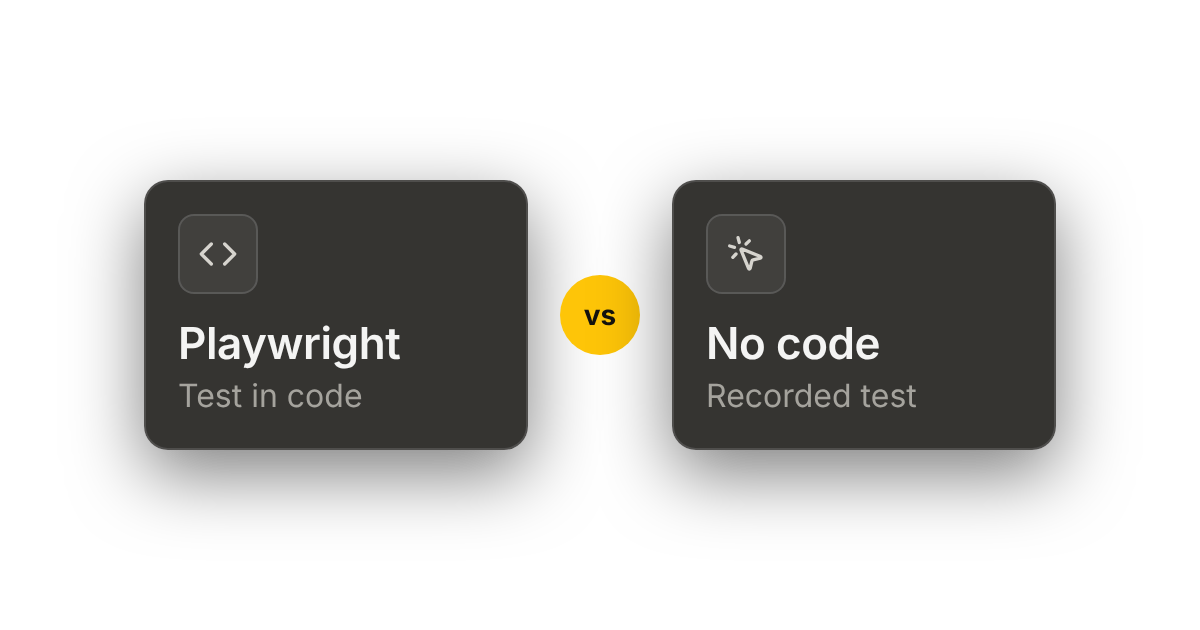
What Playwright is, and what no-code testing is
Playwright is a free tool from Microsoft for writing tests in code. A developer describes, step by step, what the browser should do: open a page, click a button, check that the right text appears. Tests run in Chromium, Firefox and WebKit, the engine behind Safari. Cypress and Selenium work the same way: a test is code that usually lives in the repository next to the app's code.
With no-code tools, you record a test by clicking through the site the way a customer would. The tool remembers the steps (open a URL, click, type), and you add checks such as "after signing in, the Your orders heading is visible". In TestCLIX, everything is in one place: the scenario, the schedule, the alerts and the run history.
This post compares two specific setups: Playwright tests running in your own CI, and a recorded scenario in TestCLIX. No-code tools differ from each other, for example in which browsers they run tests in or whether you can export a scenario, so we only describe TestCLIX. There are also in-between solutions: they run tests written in code and add scheduling and alerts on top.
A side note: Playwright can record too. Codegen turns your clicks into code, and you add checks by pointing at elements on the page. AI test agents can plan, write and fix a test. An agent can suggest a fix, but a person decides whether it's right. Either way, you end up with code that someone has to maintain, so in this comparison we treat Playwright as a tool for tests written in code. The bigger question isn't how a test gets created, but who will maintain it and make sure it runs regularly.
The same test, two ways
Take a simple flow: signing in to a customer account. The test opens the sign-in page, enters the test account's details, clicks "Sign in" and checks that the account page opened.
In Playwright
import { test, expect } from '@playwright/test';

test('sign-in opens the customer account', async ({ page }) => {
  await page.goto('https://app.example.com/login');
  await page.getByLabel('Email').fill(process.env.TEST_USER_EMAIL!);
  await page.getByLabel('Password').fill(process.env.TEST_USER_PASSWORD!);
  await page.getByRole('button', { name: 'Sign in' }).click();
  await expect(page.getByRole('heading', { name: 'Your orders' })).toBeVisible();
});
A test like this usually runs on every pull request. If your team agrees on a rule that nothing ships without passing tests, a broken sign-in never reaches production. Point the URL and the test account at the environment you're checking.
What if the same test should monitor production too, say every 15 minutes? Then you need something that runs it on a schedule. The simplest option is GitHub Actions.
We're making three assumptions:
- the test is already saved in the repository,
- your Playwright config has a
chromiumproject (it does by default after installation), - the test account's details are stored in GitHub secrets.
Here's an example workflow file:
name: Login monitoring
on:
  schedule:
    - cron: '*/15 * * * *'
jobs:
  login:
    runs-on: ubuntu-latest
    steps:
      - uses: actions/checkout@v5
      - uses: actions/setup-node@v5
        with:
          node-version: 24
      - run: npm ci
      - run: npx playwright install --with-deps chromium
      - run: npx playwright test tests/login.spec.ts --project=chromium
        env:
          TEST_USER_EMAIL: ${{ secrets.TEST_USER_EMAIL }}
          TEST_USER_PASSWORD: ${{ secrets.TEST_USER_PASSWORD }}
This file sets up the schedule, but it isn't monitoring yet. Three things are missing:
- alerts (such as a Slack message when the test fails),
- a threshold that tells a real outage from a one-off network hiccup,
- a place where the people who need to respond can see the results.
A threshold alone cuts down false alarms, but it won't explain why the test failed. For that, you need screenshots or a report.
There are also a few limits that GitHub describes in its docs. Scheduled runs can be delayed under high load, and some may not start at all. The shortest possible interval between runs is 5 minutes. In a public repository, the schedule switches itself off after 60 days without activity. For production monitoring this matters, because a delayed alert may come too late.
Then there are runner minutes: the time GitHub's machine spends on your job. Let's do the math: a test every 15 minutes is 2,880 runs in a 30-day month. If one run takes 2 minutes, that's 5,760 minutes. For private repositories, the GitHub Free plan includes $12 of compute a month, which is about 2,000 minutes on a standard Linux runner. Standard runners are free for public repositories. The 2 minutes are just an assumption, so measure how long your test really takes, including the browser installation.
When you compare costs, don't stop at CI runner time. Add the time spent maintaining tests, setting up alerts and tracking down failures, and on the other side, the tool's subscription. If you already have working CI and alerts, part of that work is done.
Without code, in TestCLIX
- You open the sign-in page in a browser that runs in the cloud and is streamed to your screen.
- You click the email field and type the address. You insert the password from the project's secrets, so it's never saved in the test.
- You click "Sign in".
- You select the "Your orders" heading as text that must appear.
- You set how often the test runs (say, every 15 minutes), from which location, after how many failures an alert goes out and where: email, Slack, Telegram, Jira or webhook.
When the test fails as many times as the threshold allows, you get an alert with a link to the failed run. In the app, you can see the step where the test stopped, screenshots and a session replay next to the recorded reference. In Playwright, the Trace Viewer plays a similar role and shows the test run step by step. By default, a trace is only recorded on the first retry of a failed test, and in CI it's up to you where it's stored and who can access it.
What you need besides the test itself
Writing or recording the test is only the start. To monitor production, it also needs a schedule, alerts and a place for the results. Here's how that looks in each setup:
| Playwright in your own CI | TestCLIX | |
|---|---|---|
| Writing the test | Code, codegen or AI agents | Recording in a browser; you add checks by pointing at elements on the page |
| Running on a schedule | Schedule in CI | Built in: from every 5 minutes to once a day |
| Alerts | You set them up in CI or a separate service | Built in: email, Slack, Telegram, Jira, webhook |
| Investigating a failure | Trace Viewer, HTML report; you set up storage, access | Screenshots and session replay in run history |
| Passwords and secrets | CI secrets | Project secrets |
| Alert threshold | You build it yourself in CI or an alerting service | Built in, e.g. 2 failures in 3 runs |
| Fixing after a UI change | Code change and review in the repository | Edit the step in the app or re-record that part |
| Who can maintain it | Someone who knows the code and the repository | Someone who knows the flow and the tool |
| Cost | Free license; people's time and CI resources | Subscription and people's time; free plan runs daily |
With Playwright, you set up and maintain each of these yourself. In TestCLIX, you set them up in the app, and the platform runs the browsers and stores the results.
When Playwright is the better choice
- You have developers or QA engineers who write tests anyway. The test is saved in the repository, goes through code review and changes together with the feature it checks.
- You test before you deploy. You run tests against an environment with a specific change and don't merge the code until they pass.
- The test needs logic.
Looping over 40 products, reading data from a CSV file, creating an account through the API before the test, or mocking a server response (
page.route) to see what the site does when a payment fails. In code, that's usually a few lines. - You have a lot of tests. With hundreds of tests, shared functions, data sets and splitting tests across several CI machines start to pay off. What it costs depends on execution time and the infrastructure you already have.
- You want to own your tests. The test code stays in your repository, even if you switch CI providers.
When no-code testing is the better choice
- Nobody in the company writes tests. An online store, an agency, a small SaaS or a marketing team often has no QA, and the developer has other priorities. A recorded test beats a Playwright test that nobody writes.
- The flows are looked after by people outside the dev team. The store owner knows the purchase flow best, and the marketer knows which form brings in leads. Once they know the tool, they can record and fix the test themselves.
- You want regular monitoring without building it from scratch. Tests that run only when the repository changes won't notice that something broke after a CMS edit, a tag-manager change or a payment-widget update. A test that runs on a schedule checks the flow between deployments too. You can do this with Playwright as well, but you have to put the schedule, history and alerts together yourself, while in TestCLIX they're ready to use.
- A fast start matters. You record sign-in, checkout or a contact form, add checks and you're done. You don't need to set up a repository or a CI job first.
What still needs work, and where the limits are
Sites change, so with either approach the test needs fixing from time to time. A new button label may mean changing a locator in code or a step in the recording. Moving a form around doesn't have to break anything, as long as the test still finds the same fields and buttons. After every fix, run the test again and check that it passes.
Flaky tests happen with either approach too. If a test passes one run and fails the next, you need to find out why: the test data, response times, the way elements are found on the page or the app itself. Playwright has retries, which run a failed test again. In monitoring, the alert threshold decides how many failures it takes before you're notified. Both help, but neither replaces the person who fixes the test.
If you build monitoring on Playwright, decide who owns the tests, the schedule, the alerts and the results. Without that person, it's easy to miss that the schedule stopped running or alerts aren't getting through.
If you're choosing a no-code tool, check:
- Logic and data. Can you cover the variants, test data and server responses you need? More complex scenarios may need tests written in code.
- Browsers and devices. If you need WebKit, make sure the tool supports it. Playwright does, but it doesn't run the actual Safari browser. In TestCLIX, you can change the screen size to check the mobile layout, but that's not the same as testing on a real phone.
- Change review and export. A scenario in TestCLIX doesn't go through review together with changes to the app's code. Decide who updates it when the site changes, and before choosing a vendor, check whether you can move your tests elsewhere.
- Plan limits. The number of scenarios and how often they run depend on your plan. The free TestCLIX plan runs one scenario once a day, so it won't catch an outage within minutes. It's good for trying out the tool, but monitoring production needs more frequent runs.
Neither approach replaces testing native apps or load testing. A TestCLIX scenario walks through a selected flow in a browser; it doesn't simulate thousands of customers at once.
Using both
You don't have to pick just one. If you want code changes tested and monitoring handed over to people outside the dev team, combine both:
- Playwright in CI. Tests on every pull request, with full logic and in several browsers. They catch bugs before the code reaches production.
- No-code monitoring in production. A few key flows (sign-in, sign-up, reaching the payment page) running every 5 or 15 minutes. They catch what may have changed since the last CI run: configuration, third-party services, CMS content.
- A check after each deploy. At the end of a deployment, the pipeline triggers a TestCLIX scenario through the API. The request only queues the test, so it doesn't wait for the result or block the next steps. You'll see the result in the run history, and if the test fails, an alert goes out according to your threshold. A webhook also reports the result of every run, regardless of the threshold.
With this split, business flows are maintained by someone who knows them well, and developers focus on the tests that really need code. For an example API request, see the post on combining tests in code with monitoring:
Which to choose: a short recommendation
- You have developers and want to catch bugs before deploying: Playwright in CI.
- Nobody on your team writes tests, and the site makes money or collects leads: a no-code tool. Start with your single most important flow.
- You have Playwright tests, but nobody checks the site between deployments: add scheduled runs and alerts for your most important flow. You can reuse your existing tests or record a TestCLIX scenario, depending on who will maintain it.
- You need complex logic or many data variants: start with Playwright. Before choosing a tool, also check which browsers you need and what the runs will cost.
If you're still on the fence, answer three questions. Who will fix this test six months from now, when the site changes? Do they know how to code? Will they also look after the schedule, alerts and run history? The answers will quickly show which approach your team can actually maintain.